

Update company information
- Open the main menu, expand Administration, and select Company Information.
- Under Basic Information, enter the required Common Name and choose the required Default System under Measurement.
- Review or update the Legal Name, Tax ID, Description (up to 250 characters), Company Address, Company Logo, and Primary Contact fields as needed.
- For a logo, choose a file or drag it into the upload area. The form specifies a minimum resolution of 400 × 400 px and accepts JPG, JPEG, PNG, GIF, TIF, or TIFF.
- Select Save after making changes.
The form includes Common Name, Legal Name, Tax ID, Description, Default System, Company Address, Company Logo, and Primary Contact. Imperial is the default system in the example shown; available system choices may vary.
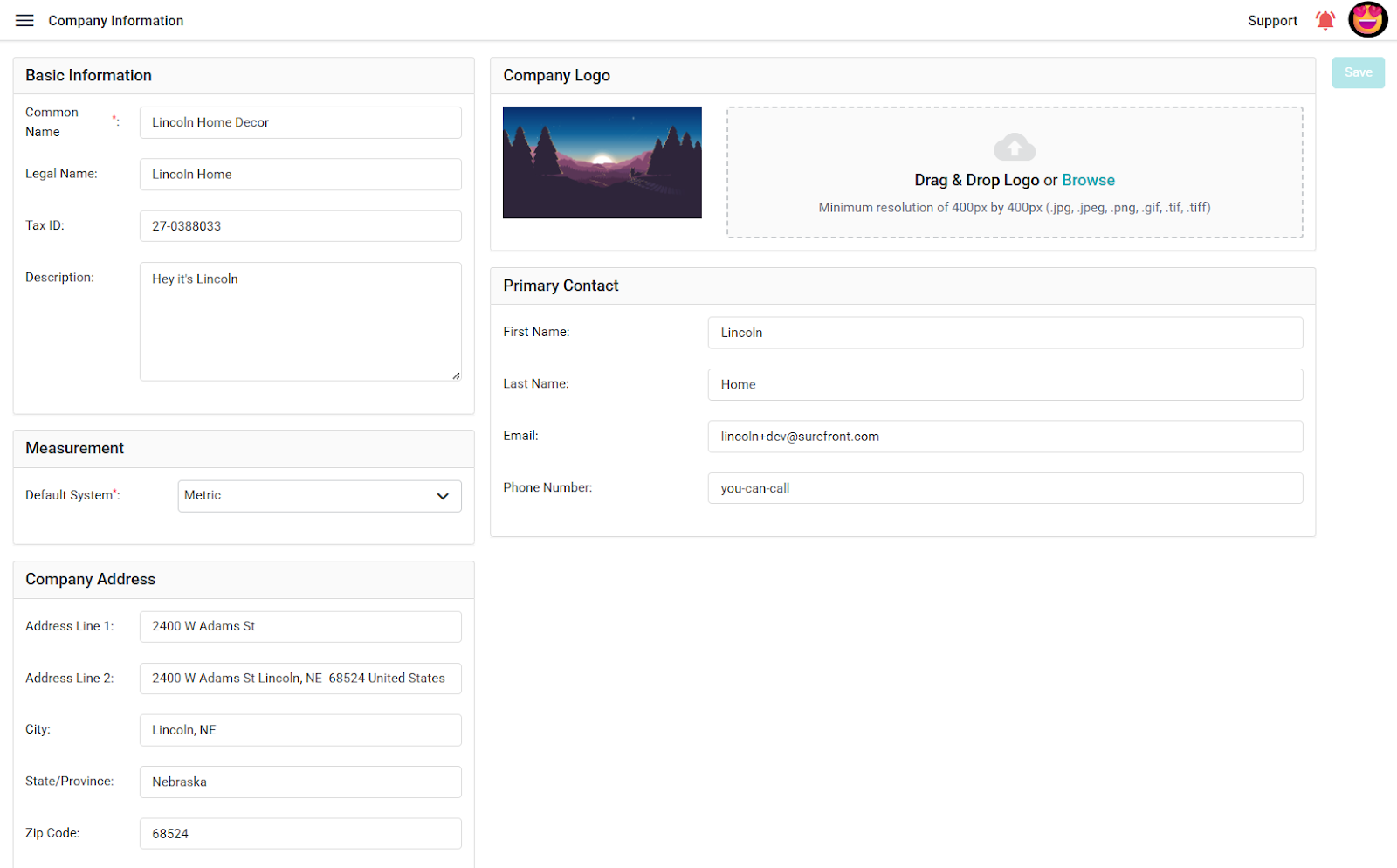
Open Company Information from the administration area, review the company details, and update the fields your role allows you to change.
