

Administration
Open the main menu, expand Administration, and choose the settings area you need. Current labels include User Accounts, Catalog Management, Departments & Categories, Configure Page Views, Supplier Accounts, Customer Connections, and Billing.
Find an administration area
The current Administration navigation also shows Dashboard access, Company Information, AI Services & Usage, Illustrator setup, Functions, Tables, Locations, and Integrations. The available links depend on your role.
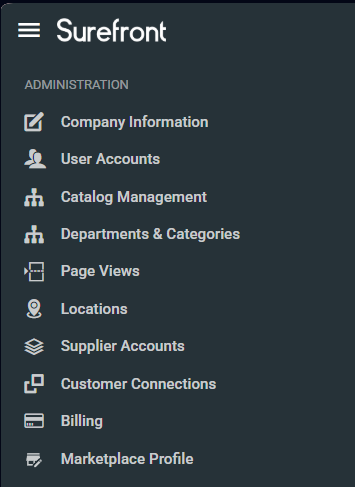
- Company Information
- User Accounts
- Catalog Management
- Departments & Categories
- Configure Page Views
- Supplier Accounts
- Customer Connections
- Billing
Open the matching Administration link to manage that area. A help article describes a procedure; it does not establish that every action is available to every role.
